Nano Banana Pro use cases center on one strength: it turns a plain-language brief into a finished image with accurate text, consistent characters, and believable lighting. This guide gives you 15 concrete use cases, copy-paste prompts, and the workflow rules that keep results sharp.
Nano Banana Pro is the image model inside Google's AI image generator stack. It handles multi-subject scenes, short text rendering, and reference-based edits. The prompts below are written for that model: explicit subject, style, lighting, camera, and aspect ratio. Use them as starting points, then adjust one variable at a time.
What Nano Banana Pro does well
Three features matter for practical work.
Text rendering. It can place short strings (under ~12 characters) inside an image with correct spelling. Signs, labels, and titles are usable without post-editing.
Reference consistency. Give it a face or object reference, and it keeps identity across poses and angles. This is what makes character sheets and product variants viable.
Scene reasoning. It understands spatial relations: "the cup behind the laptop, left of the notebook" lands where you asked. That reduces the reroll loop.
For a broader look at how these capabilities fit into a pipeline, see ai-multimodal-creative-workflow-2026.
15 Nano Banana Pro use cases with prompts
Each prompt is copy-paste ready. Replace bracketed variables with your own.
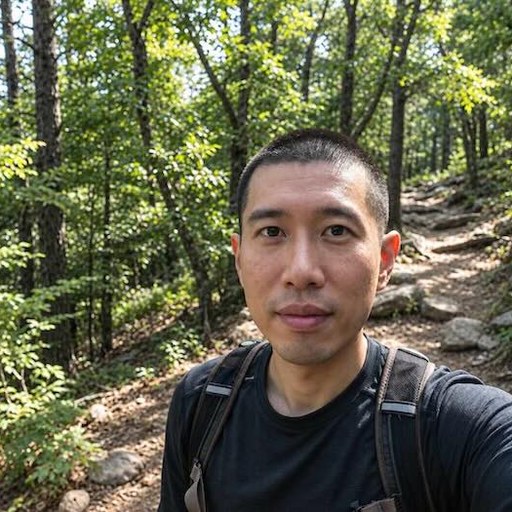
1. Professional headshot from a phone photo
"Turn this reference photo into a corporate headshot. Subject: [describe person]. Style: clean studio portrait. Lighting: soft key light 45 degrees left, subtle rim light, neutral gray backdrop. Camera: 85mm lens, f/2.0, eye-level. Wardrobe: navy blazer, white shirt. Aspect ratio 4:5. Keep facial features and skin tone exactly as in the reference."
Pair with the techniques in ai-headshot-prompts-guide.
2. Product photo on a seamless background
"Product: [item], centered. Style: e-commerce catalog shot. Lighting: two softboxes, one overhead diffuser, no harsh shadows. Background: pure white #FFFFFF. Camera: 100mm macro, f/8, straight-on. Include a subtle contact shadow under the product. Aspect ratio 1:1."
See ai-product-photography-prompts for variant angles.
3. Character sheet for a game or comic
"Character: [name], [age], [build]. Create a 4-view turnaround: front, 3/4, side, back. Style: semi-realistic concept art. Lighting: neutral studio, even fill. Outfit: [describe]. Keep proportions and costume details identical across all four views. Aspect ratio 16:9, white background."
More on consistency in ai-fantasy-scifi-character-design.
4. Social media carousel with readable text
"Square social post. Background: gradient from #1A1A2E to #16213E. Center text: 'LAUNCH DAY' in bold sans-serif, white, letter-spacing tight. Below it, smaller text: '10 AM PST'. Add a thin cyan underline. Minimal geometric shapes in the corners. Aspect ratio 1:1."
5. Food menu hero image
"Dish: [dish name]. Style: overhead food photography. Lighting: window light from the left, soft shadow. Props: linen napkin, brass fork, small water glass. Camera: 50mm, f/2.8, 45-degree angle. Steam visible. Aspect ratio 4:5."
Reference ai-food-photography-prompts for plating details.
6. Real estate interior staging
"Room: [type], empty. Add furniture: mid-century sofa, oak coffee table, two accent chairs, floor lamp. Style: warm minimalism. Lighting: late afternoon sun through sheer curtains, warm 3200K. Camera: 24mm, f/5.6, eye-level. Aspect ratio 3:2."
See ai-architectural-interior-design for layout control.
7. Book cover with title text
"Book cover. Genre: [genre]. Central image: [describe scene]. Title text at top: '[TITLE]' in serif font, gold foil effect. Author name at bottom: '[NAME]' in small caps. Color palette: deep teal, cream, copper. Aspect ratio 2:3. Leave 10% margin on all sides."
8. Fashion editorial spread
"Model: [describe]. Outfit: [describe]. Setting: [location]. Style: high-fashion editorial. Lighting: hard flash, high contrast, slight overexposure on highlights. Camera: 35mm, f/4, low angle. Pose: [describe]. Aspect ratio 4:5."
More in ai-fashion-editorial-prompts.
9. 3D collectible figure from a photo
"Convert this reference into a 3D collectible figure. Style: vinyl toy, matte finish, chunky proportions. Base: circular black stand with the name '[NAME]' embossed. Lighting: soft studio, gentle top light. Background: light gray gradient. Aspect ratio 1:1."
See ai-3d-action-figure-prompts.
10. Children's book illustration
"Scene: [describe]. Style: watercolor and colored pencil, soft edges, warm palette. Characters: [describe]. Lighting: gentle morning light. Composition: rule of thirds, character on the right third. Aspect ratio 4:3. No text."
Reference ai-childrens-book-illustration-prompts.
11. Logo concept with text
"Logo for [brand]. Mark: abstract [shape] inside a circle. Wordmark: '[NAME]' in geometric sans-serif, all caps, letter-spacing 2. Color: single color, deep navy. Background: white. Aspect ratio 1:1. Flat vector style."
12. Before/after style transfer
"Apply the style of [reference image] to this photo. Keep the subject's face, pose, and clothing unchanged. Match the reference's color grading, contrast curve, and texture. Aspect ratio same as original."
For fusion options, read ai-style-fusion-techniques.
13. Infographic with icons and labels
"Infographic: '5 STEPS TO [GOAL]'. Vertical layout. Five numbered circles connected by a line. Each step has a simple icon and a 3-word label. Color palette: white background, navy text, orange accents. Aspect ratio 9:16."
14. Cinematic film still
"Scene: [describe]. Style: 35mm film still, anamorphic. Lighting: practical neon signs, wet street reflections. Camera: 40mm, f/1.8, shallow depth of field. Color grade: teal and orange, lifted blacks. Aspect ratio 2.39:1."
More in ai-cinematic-film-stills-prompts.
15. Pet portrait in a painterly style
"Pet: [breed]. Style: oil painting, visible brushstrokes. Lighting: soft window light from the right. Background: dark olive green. Composition: head and shoulders, eyes on the upper third. Aspect ratio 4:5."
See ai-pet-animal-portrait-prompts.
Nano Banana Pro features that affect your prompts
Text rendering limits
Keep strings short. Under 12 characters renders reliably. Longer phrases may drop letters. If you need a paragraph, generate the image without text and add type in a layout tool.
Reference image behavior
One reference works best for faces. Two references can blend, but may average features. For product consistency, use the same reference across all variants and change only the background or angle.
Aspect ratio control
Specify it explicitly. Common ratios: 1:1, 4:5, 16:9, 9:16, 2:3, 3:2. The model respects these better than vague terms like "wide" or "tall."
Negative prompts
Nano Banana Pro responds to negative instructions, but keep them short. "No text, no watermark, no extra fingers" works. Long negative lists dilute the main prompt. See negative-prompts-guide-ai-images.
Workflow guide: from brief to final image
- Write the brief in one sentence. Subject, action, setting. Example: "A ceramicist shaping a bowl at a wheel, side view, studio."
- Add style, lighting, camera, aspect ratio. Four lines, one per attribute.
- Generate three variants. Change only one variable between them (lighting, angle, or palette).
- Pick the closest. Then refine with a targeted edit: "Same image, but move the window light to the right and warm it to 3000K."
- Upscale or post-process. For texture and sharpness, see ai-image-post-processing-enhancement.
This loop keeps you from rerolling blindly. Each generation tests a hypothesis.
Common mistakes and fixes
Mistake: vague subject. "A beautiful landscape" gives generic output. Fix: "A granite cliff at sunrise, low fog in the valley, pine trees on the ridge."
Mistake: stacking styles. "Cyberpunk steampunk watercolor" confuses the model. Fix: pick one primary style and one modifier. See ai-style-fusion-techniques.
Mistake: ignoring aspect ratio. Default is often square. Fix: state it every time.
Mistake: no reference for faces. Without a reference, identity drifts. Fix: attach one clear, front-facing photo.
Mistake: long negative lists. They dilute the prompt. Fix: three negatives maximum.
When to use Nano Banana Pro vs other tools
Use it when you need text in the image, consistent characters across multiple outputs, or quick reference-based edits. For pure artistic styles without text or consistency needs, other models may be faster. For video, see ai-video-generation-2026.
Prompt structure checklist
Before you hit generate, verify these six elements are present:
- Subject: who or what, with specifics
- Action or pose
- Setting or background
- Style: one primary, one modifier
- Lighting: direction, quality, color temperature
- Camera: lens, aperture, angle, aspect ratio
If any are missing, add them. This checklist alone reduces rerolls by half in practice.
Try these prompts on NanoPrompts
NanoPrompts is a library of ready-to-use AI image-generation prompts and templates. It provides copy-paste prompts for photo transformations such as portraits, headshots, style transfers, and 3D collectible figures. Every prompt follows the structure above, so you can drop in your subject and generate. Browse the library at nanoprompts.net and start with the headshot or product templates.


