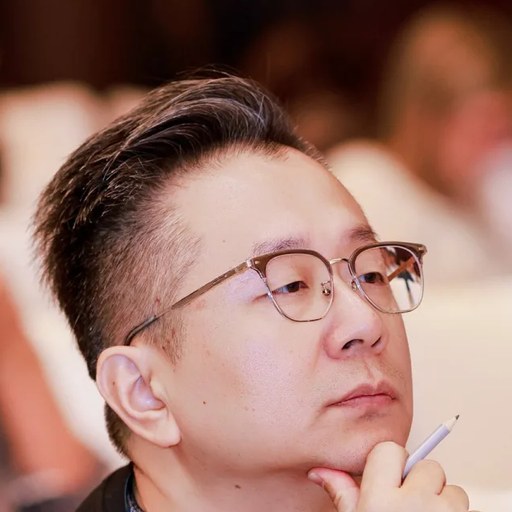
Nano banana prompts are structured text instructions that direct AI image models like Gemini to generate or transform images with specific subjects, styles, lighting, and camera settings. This guide gives you a working library of copy-paste prompts for portraits, headshots, style transfers, and 3D collectible figures, plus the structure that makes them easier to adapt. They are starting templates: check the output on your own inputs.
What Makes a Nano Banana Prompt Work
Nano banana models respond to concrete, layered descriptions. A prompt that says "a woman in a garden" produces a generic result. A prompt that specifies subject, wardrobe, lighting direction, lens focal length, and aspect ratio produces an image you can use. The model does not guess intent; it renders what you describe.
Every prompt in this library follows the same skeleton:
- Subject: who or what, with age, expression, and pose.
- Wardrobe/Props: specific garments, textures, or objects.
- Environment: location, time of day, weather.
- Lighting: source, direction, quality (soft, hard, rim, backlight).
- Camera: lens (85mm, 35mm), aperture (f/1.8), angle (eye-level, low).
- Style: film stock, art movement, render engine.
- Aspect ratio: 16:9, 4:5, 1:1, 9:16.
This structure is not arbitrary. It mirrors how photographers and art directors brief a shoot. For a deeper breakdown, see the prompt structure and syntax guide.
Nano Banana Prompt Library: Core Examples
These prompts are ready to copy into your model. Replace bracketed variables with your own details.
Original Studio Portrait (Optional Reference Photo)
Use this to generate an original studio portrait of a fictional character. You can attach a photo as an optional loose reference for pose or styling; it guides the character, and likeness may vary.
"Create an original professional studio portrait of a fictional character. Soft key light from 45 degrees left, white bounce fill from right. 85mm lens, f/2.0, eye-level. Subject wears a charcoal turtleneck, neutral expression, hair pulled back. Background: seamless dark gray. Color grade: neutral with slight warmth. Aspect ratio 4:5."
For more portrait variations, the nano banana portrait prompts collection covers mood, age, and expression control.
Professional Headshot
"Corporate headshot of a person in their 30s, wearing a navy blazer over a white shirt. Lighting: large softbox above and slightly forward, subtle rim light on hair. 105mm lens, f/4, chest-up framing. Background: blurred office with warm bokeh. Skin texture natural, no heavy retouching. Aspect ratio 1:1."
This prompt pairs well with the AI professional headshots prompts guide for LinkedIn and resume use.
Style Transfer: Oil Painting
"Repaint the subject as a 19th-century oil portrait. Visible brushstrokes, impasto texture on fabric. Palette: burnt sienna, ochre, deep umber. Lighting: single candle from left, warm falloff. Canvas texture visible. Aspect ratio 3:4."
See oil painting portrait prompts for more art-historical styles.
3D Collectible Figure
"Render the subject as a 3D collectible vinyl figure. Smooth matte plastic finish, exaggerated head-to-body ratio 1:3. Displayed on a circular base with a nameplate. Studio lighting: two softboxes, white background. Isometric angle, 50mm lens. Aspect ratio 1:1."
The AI 3D action figure prompts article covers articulation, packaging, and scale.
Cinematic Film Still
"Cinematic still of a detective in a rain-soaked alley at night. Neon signs reflect in puddles. Anamorphic lens flare, 2.39:1 aspect ratio. Lighting: practical neon from right, cool moonlight from above. Film grain: Kodak Vision3 500T. 35mm lens, f/1.4."
For more film looks, see cinematic film stills prompts.
Nano Banana Prompt Examples for Common Tasks
Product Photography
"Place the product on a white acrylic surface. Lighting: large scrim from top, two strip boxes on sides for edge definition. 100mm macro lens, f/8, focus stacked. Reflection subtle. Aspect ratio 4:5."
More setups in AI product photography prompts.
Fashion Editorial
"Full-body fashion editorial. Model wears an oversized wool coat, standing against a concrete wall. Lighting: overcast daylight, soft shadows. 50mm lens, f/2.8, low angle. Color grade: desaturated with cool shadows. Aspect ratio 4:5."
See fashion editorial prompts for pose and styling direction.
Fantasy Character Design
"Fantasy character design: elven ranger, leather armor with leaf motifs, quiver on back. Lighting: dappled forest light from above. 85mm lens, f/2.0, three-quarter view. Background: ancient trees, mist. Aspect ratio 2:3."
The concept art design guide covers fantasy and sci-fi characters, armor, weapons, and world-building.
Architectural Interior
"Modern living room interior. Floor-to-ceiling windows, morning light casting long shadows. 24mm lens, f/8, eye-level. Materials: oak floor, linen sofa, marble coffee table. Color palette: warm neutrals. Aspect ratio 16:9."
More in architectural interior design prompts.
Nano Banana Pro Use Cases: Text, Layout, and Commercial Work
Nano Banana Pro is the higher-end model in Google's Nano Banana image family. Its strengths open up use cases beyond portraits and photo looks: designs with readable text, multi-view character sheets, and layouts where objects need to land in specific positions. The prompts below are written for it and follow the same skeleton as the library above. Replace bracketed variables with your own.
Character Turnaround Sheet
"Character: [name], [age], [build]. Create a 4-view turnaround: front, 3/4, side, back. Style: semi-realistic concept art. Lighting: neutral studio, even fill. Outfit: [describe]. Keep proportions and costume details identical across all four views. Aspect ratio 16:9, white background."
Social Media Post with Readable Text
"Square social post. Background: gradient from #1A1A2E to #16213E. Center text: 'LAUNCH DAY' in bold sans-serif, white, letter-spacing tight. Below it, smaller text: '10 AM PST'. Add a thin cyan underline. Minimal geometric shapes in the corners. Aspect ratio 1:1."
Book Cover with Title Text
"Book cover. Genre: [genre]. Central image: [describe scene]. Title text at top: '[TITLE]' in serif font, gold foil effect. Author name at bottom: '[NAME]' in small caps. Color palette: deep teal, cream, copper. Aspect ratio 2:3. Leave 10% margin on all sides."
Logo Concept with Text
"Logo for [brand]. Mark: abstract [shape] inside a circle. Wordmark: '[NAME]' in geometric sans-serif, all caps, letter-spacing 2. Color: single color, deep navy. Background: white. Aspect ratio 1:1. Flat vector style."
See AI logo design prompts for more marks and wordmarks.
Infographic with Icons and Labels
"Infographic: '5 STEPS TO [GOAL]'. Vertical layout. Five numbered circles connected by a line. Each step has a simple icon and a 3-word label. Color palette: white background, navy text, orange accents. Aspect ratio 9:16."
Food Menu Hero Image
"Dish: [dish name]. Style: overhead food photography. Lighting: window light from the left, soft shadow. Props: linen napkin, brass fork, small water glass. Camera: 50mm, f/2.8, 45-degree angle. Steam visible. Aspect ratio 4:5."
Plating details are in AI food photography prompts.
Real Estate Interior Staging
"Room: [type], empty. Add furniture: mid-century sofa, oak coffee table, two accent chairs, floor lamp. Style: warm minimalism. Lighting: late afternoon sun through sheer curtains, warm 3200K. Camera: 24mm, f/5.6, eye-level. Aspect ratio 3:2."
Children's Book Illustration
"Scene: [describe]. Style: watercolor and colored pencil, soft edges, warm palette. Characters: [describe]. Lighting: gentle morning light. Composition: rule of thirds, character on the right third. Aspect ratio 4:3. No text."
See children's book illustration prompts.
Pet Portrait in a Painterly Style
"Pet: [breed]. Style: oil painting, visible brushstrokes. Lighting: soft window light from the right. Background: dark olive green. Composition: head and shoulders, eyes on the upper third. Aspect ratio 4:5."
More in AI pet and animal portrait prompts.
Nano Banana Pro Features That Affect Your Prompts
As of November 2026, feature descriptions follow Google's public image generation documentation; NanoPrompts has not independently benchmarked them. The prompting tips below are practical suggestions, not measured results.
Text Rendering
Nano Banana Pro can place short strings inside an image with correct spelling, so signs, labels, and titles are often usable without post-editing. Keep strings short; longer phrases are more likely to come out with dropped or garbled letters. If you need a paragraph, generate the image without text and add type in a layout tool.
Scene Reasoning
The model understands spatial relations: "the cup behind the laptop, left of the notebook" lands where you asked. Spelling out positions reduces the reroll loop.
Reference Images
For product consistency, use the same reference across all variants and change only the background or angle. Two references can blend, but may average their features, so start with one.
Aspect Ratio and Negatives
State the ratio explicitly (1:1, 4:5, 16:9, 9:16, 2:3, 3:2); the model respects these better than vague terms like "wide" or "tall." Negative instructions work when short: "No text, no watermark, no extra fingers." Keep it to about three negatives.
When to Use Nano Banana Pro
Use it when you need text in the image, consistent characters across multiple outputs, or quick reference-based edits. For pure artistic styles without text or consistency needs, other models may be faster.
Choosing Between Nano Banana Models
"Nano Banana" is the name Google uses for a family of Gemini image models, not a single model. As of November 2026, Google's models page lists Nano Banana 2.1 as its newest image model, with Nano Banana 2 and Nano Banana Pro still available. Google's documentation describes lighter, faster variants for high-volume work and Nano Banana Pro for complex layouts and precise text rendering. The lineup, model IDs, and limits change over time, so check Google's models page for current details rather than relying on any fixed list.
A practical rule of thumb: draft and iterate on a faster model, then switch to Pro when the image needs readable text, a dense layout, or several reference images working together. The prompts in this guide work across the family; only the level of detail you can expect back differs.
Where to Use Nano Banana
As of November 2026, these are the main ways to use the Nano Banana models:
- Gemini app: the simplest option. Type a prompt or upload a photo and ask for an edit in plain language.
- Google AI Studio: Google's browser-based workspace for the Gemini API. It lets you pick a specific image model, set the aspect ratio, and save prompts, which suits building a prompt library.
- Gemini API: for developers who want to generate images from their own app or script.
Availability, quotas, and pricing depend on your region and plan; Google's image generation documentation has the current details.
Photo Restoration and Colorizing Prompts
Nano Banana can edit an existing photo, which makes it useful for cleaning up scanned prints. Treat the output as an AI reinterpretation: the model fills in damaged areas with plausible detail rather than recovering what was lost, and likeness may vary. Keep the original scan.
Restore a Damaged Print
"Restore this scanned photo. Remove scratches, dust spots, and the crease running across the top. Reduce film grain slightly but keep natural texture. Do not change the composition, clothing, or background. Keep it black and white. Same aspect ratio as the original."
Colorize a Black-and-White Photo
"Colorize this black-and-white photo with muted, period-appropriate colors. Skin tones natural, clothing in soft earth tones, sky pale blue. Keep the original grain and contrast. Do not add or remove any objects. Same aspect ratio as the original."
For sharpening and detail work after restoration, see AI image post-processing and enhancement.
Sketch-to-Render Prompts
Upload a rough sketch and describe the finished look. The sketch fixes the layout; the prompt sets materials, lighting, and style.
Product Sketch to Studio Render
"Turn this pencil sketch into a photorealistic product render. Keep the exact shape and proportions from the sketch. Material: brushed aluminum body, matte black buttons. Lighting: large softbox from above, soft shadow on a light gray seamless background. 100mm lens, f/8. Aspect ratio 4:5."
Floor Plan Sketch to Interior Render
"Use this hand-drawn room sketch as the layout. Render it as a photorealistic Scandinavian living room: oak floor, white walls, linen sofa where the sketch shows the sofa, large window on the left wall. Lighting: soft morning daylight. 24mm lens, eye-level. Aspect ratio 16:9."
More interior setups are in architectural interior design prompts, and the concept art design guide covers sketch-based character and environment work.
How to Build Your Own Nano Banana Prompt Library
A personal library saves time and keeps results consistent. Organize by use case, not by model version.
1. Start with a Base Template
Write one prompt per category: portrait, product, landscape, character. Save them as text snippets. When you need a variation, change only the variables: lighting, lens, aspect ratio.
2. Use Negative Prompts Sparingly
Nano banana models handle negatives differently than Stable Diffusion. Instead of a long negative list, state what you want. For example, "clean background, no clutter" works better than "no trees, no cars, no people." The negative prompts guide explains when negatives help.
3. Lock Aspect Ratio Early
Aspect ratio changes composition. Decide 16:9 for landscapes, 4:5 for portraits, 1:1 for products. Put it at the end of the prompt so the model applies it last.
4. Test One Variable at a Time
If a result misses, change only the lighting or only the lens. Changing three things at once makes it impossible to know what worked.
5. Document What Works
Keep a simple text file with prompt + result notes. Over time, you build a personal nano banana prompt library that reflects your style.
From Brief to Final Image: A Workflow
- Write the brief in one sentence. Subject, action, setting. Example: "A ceramicist shaping a bowl at a wheel, side view, studio."
- Add style, lighting, camera, aspect ratio. Four lines, one per attribute.
- Generate three variants. Change only one variable between them (lighting, angle, or palette).
- Pick the closest. Then refine with a targeted edit: "Same image, but move the window light to the right and warm it to 3000K."
- Upscale or post-process. For texture and sharpness, see AI image post-processing and enhancement.
This loop keeps you from rerolling blindly: each generation tests one hypothesis. Before you hit generate, check that the prompt has a specific subject, an action or pose, a setting, one primary style (plus at most one modifier), lighting direction and quality, and camera plus aspect ratio.
Nano Banana Prompt Guide: Advanced Techniques
Lighting Control
Lighting is the highest-leverage variable. Specify direction (left, right, above, behind), quality (soft, hard, diffused), and color (warm, cool, neutral). "Rembrandt lighting" or "butterfly lighting" are recognized terms. For a full breakdown, see AI portrait lighting techniques prompts.
Camera and Lens Language
Mentioning a lens changes perspective. A 24mm lens exaggerates depth; an 85mm lens compresses features. Aperture controls background blur: f/1.4 gives heavy bokeh, f/8 keeps everything sharp. The bokeh and depth of field guide covers this in detail.
Style Fusion
Combine two styles for unique results: "watercolor and ink wash" or "cyberpunk and art deco." Keep the fusion to two styles; three or more becomes muddy. The style fusion techniques article shows how to balance them.
Color Grading
Specify a film stock or color palette. "Kodak Portra 400" gives warm skin tones. "Teal and orange" gives a blockbuster look. "Desaturated with cool shadows" gives a moody edit. The color theory for AI images guide explains palettes.
Common Mistakes and Fixes
Mistake: Too vague. "A beautiful landscape" gives a generic result. Fix: "Mountain lake at sunrise, mist on water, 24mm lens, f/11, golden hour."
Mistake: Conflicting lighting. "Soft light and harsh shadows" confuses the model. Fix: choose one quality.
Mistake: Ignoring aspect ratio. The model defaults to square or 16:9. Fix: always state it.
Mistake: Overloading the prompt. More than 60-80 words often dilutes focus. Fix: prioritize the five most important details.
Mistake: No subject anchor. For transformations, describe the subject's age, hair, and wardrobe in words so the model has something concrete to render; the photo is only a loose reference and likeness may vary. The portrait age features control article covers age descriptors.
Suggested Order for Learning Nano Banana Prompts
If you are new to nano banana models, start with portraits and headshots. They teach lighting and lens control quickly. Then move to style transfers and 3D figures, and finally to the text-heavy and commercial Nano Banana Pro use cases above.
More prompt templates: NanoPrompts is a library of ready-to-use AI image-generation prompts and templates, including portraits, headshots, style transfers, and 3D collectible figures. Browse the NanoPrompts library and paste a prompt into your model.