Nano banana expression prompts are short, structured text instructions that tell an AI image model exactly which facial muscles to move, how much, and under what lighting. They work because they replace vague mood words with observable geometry: brow angle, eyelid position, mouth corner direction, and jaw tension.
Most creators type "happy woman" and get a stock-photo grin. The fix is to describe the face the way a photographer or animator would. This guide gives you copy-paste templates for smiles, surprise, anger, sadness, fear, disgust, contempt, and subtle micro-expressions, plus the syntax that keeps them stable across Gemini and nano-banana-style models.
Why expression prompts fail (and the 4-part fix)
A model does not know what "happy" looks like until you define it. Vague emotion words pull from an average of thousands of training images, which produces flat, generic faces. Specific muscle descriptions narrow the output.
Use this four-part structure for every expression prompt:
- Subject + angle — who, and from where (e.g., "35-year-old man, three-quarter view").
- Expression mechanics — the actual facial changes (e.g., "left mouth corner raised 4 mm, lower eyelids tensed").
- Lighting + camera — how the expression is revealed (e.g., "soft window light from camera left, 85mm lens, f/2").
- Aspect ratio + constraints — e.g., "--ar 4:5, no teeth showing, eyes open."
This mirrors the logic in portrait expressions and emotions control, where muscle-level detail outperforms mood adjectives every time.
The muscle vocabulary that actually moves the needle
Memorize these eight terms. They cover 90% of human expression:
- Orbicularis oculi — the muscle around the eye. Contracts in genuine smiles (crow's feet).
- Zygomatic major — pulls mouth corners up and back.
- Corrugator supercilii — pulls brows down and together (anger, concentration).
- Frontalis — raises brows (surprise, skepticism).
- Levator palpebrae — lifts the upper eyelid (alertness, fear).
- Depressor anguli oris — pulls mouth corners down (sadness, disgust).
- Mentalis — wrinkles the chin (doubt, effort).
- Platysma — tenses the neck (fear, extreme effort).
You do not need all eight in one prompt. Two or three per image is enough.
Copy-paste expression prompt templates
Each prompt below is ready to paste. Replace the bracketed subject with your own. Keep the punctuation; models parse commas as separators.
1. Genuine smile (Duchenne)
"[Subject], three-quarter view, genuine Duchenne smile: zygomatic major pulls both mouth corners up and back, orbicularis oculi contracts creating crow's feet, lower eyelids slightly raised, cheeks lifted, teeth visible but relaxed. Soft window light from camera left, 85mm lens, f/2.0, shallow depth of field. --ar 4:5"
2. Suppressed laugh
"[Subject], frontal view, suppressed laugh: lips pressed together, mouth corners pulled back, nostrils slightly flared, eyes narrowed with amusement, chin dimpled from mentalis tension. Warm side light from camera right, 50mm lens, f/1.8. --ar 1:1"
3. Surprise (startle response)
"[Subject], straight-on view, startle surprise: frontalis raises both brows high, levator palpebrae lifts upper eyelids showing sclera above the iris, jaw drops 2 cm, mouth open in an oval. Hard flash from front, 35mm lens, f/4. --ar 3:2"
4. Controlled anger
"[Subject], low-angle view, controlled anger: corrugator supercilii pulls brows down and together, upper eyelids lowered, lips pressed thin, jaw muscles flexed, nostrils flared. Dramatic single-source light from below, 85mm lens, f/2.8. --ar 4:5"
5. Quiet sadness
"[Subject], three-quarter view, quiet sadness: inner brow corners raised, depressor anguli oris pulls mouth corners down, lower lip slightly pushed out, gaze lowered 15 degrees. Soft overcast light, 105mm lens, f/2.5. --ar 4:5"
6. Fear
"[Subject], frontal view, fear: brows raised and pulled together, upper eyelids raised showing white above the iris, mouth corners pulled back horizontally, platysma tenses the neck. Cool blue rim light from behind, 50mm lens, f/2. --ar 3:2"
7. Disgust
"[Subject], slight side view, disgust: nose wrinkled by nasalis contraction, upper lip raised on one side, brows lowered, head tilted back 10 degrees. Harsh top light, 85mm lens, f/2.8. --ar 1:1"
8. Contempt (asymmetric)
"[Subject], three-quarter view, contempt: one mouth corner raised in a smirk, one brow slightly raised, chin lifted, eyes half-lidded. Soft directional light from camera left, 85mm lens, f/2.2. --ar 4:5"
These eight cover the universal emotions. For character work, swap the subject line and keep the mechanics — see AI fantasy and sci-fi character design for how expression interacts with costume and silhouette.
Nano banana 2: create expression with reference images
Nano banana 2 create expression workflows often use a reference image plus a text instruction. This is where expression prompts get powerful. You can hold a subject's identity constant and change only the face.
The reference + instruction pattern
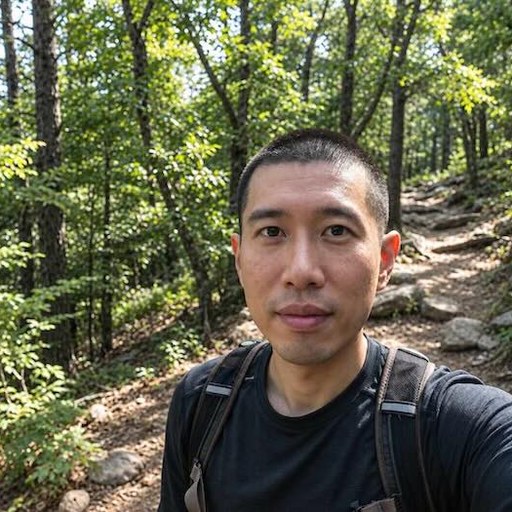
Upload a neutral reference portrait. Then write:
"Keep the subject's identity, hairstyle, and clothing from the reference. Change expression to a genuine Duchenne smile: zygomatic major raises both mouth corners, orbicularis oculi contracts, crow's feet appear. Keep the same lighting direction and camera angle. --ar 4:5"
Three rules make this reliable:
- Name what stays. Identity, hair, clothing, background, lens.
- Name what changes. Only the expression mechanics.
- Repeat the lighting. If you omit it, the model may relight the face and break the match.
Chaining expressions for a sequence
To build a sequence (neutral → smile → laugh), generate the neutral frame first, then use it as the reference for the next frame. Each step changes one variable. This is the same incremental logic used in AI portrait age features control: change one axis at a time, or the model drifts.
Micro-expressions: the 200-millisecond face
Micro-expressions are brief, involuntary leaks of emotion. They are the difference between a portrait and a character. To prompt them, describe a partial contraction and a short duration.
"[Subject], close-up, micro-expression of doubt: left brow raises 2 mm for a fraction of a second, mentalis wrinkles the chin, mouth stays neutral. Soft light, 100mm macro lens, f/2.8. --ar 1:1"
"[Subject], close-up, micro-expression of recognition: eyes widen slightly, brows lift 1 mm, mouth corners twitch upward then relax. Window light from camera right, 85mm lens, f/2. --ar 4:5"
Models cannot render time, so you imply brevity with words like "slight," "twitch," "fraction of a second," and "then relax." Pair this with the eye detail techniques in AI portrait eye details control to keep the gaze consistent.
Lighting and camera settings that reveal expression
Expression is invisible without the right light. These pairings are tested and repeatable:
- Smiles — soft window light, 85mm, f/2.0. Hard light flattens cheek lift.
- Surprise — frontal flash, 35mm, f/4. Shadows around the eyes emphasize widened sclera.
- Anger — low-angle single source, 85mm, f/2.8. Underlighting deepens brow shadow.
- Sadness — overcast diffusion, 105mm, f/2.5. Soft light keeps the lowered gaze gentle.
- Fear — cool rim light, 50mm, f/2.0. Backlight separates the tense neck from the background.
For a deeper lighting breakdown, see mastering AI portrait lighting prompts.
Common mistakes and how to fix them
Mistake 1: Stacking three emotions. "Happy but sad and angry" produces a muddled face. Pick one primary emotion and one micro-expression.
Mistake 2: Forgetting the eyes. A smile without orbicularis oculi contraction reads as fake. Always specify the eye muscle.
Mistake 3: Ignoring aspect ratio. A 16:9 crop cuts the chin and neck, where fear and effort live. Use 4:5 or 1:1 for faces.
Mistake 4: No negative constraints. Add "no teeth showing" or "no open mouth" when you want a closed-lip expression. The negative prompts guide explains how to phrase these without over-constraining.
Mistake 5: Changing lighting between frames. If you are building a sequence, copy the lighting clause verbatim. Any change breaks continuity.
Expression prompts by use case
Headshots
For professional headshots, aim for a "confident, approachable" expression. Use a slight asymmetric smile and relaxed brows.
"[Subject], corporate headshot, confident approachable expression: slight asymmetric smile, left mouth corner raised 3 mm, brows relaxed, eyes engaged with camera. Soft key light from camera left, fill from right, 85mm lens, f/2.8. --ar 4:5"
More headshot-specific phrasing is in AI headshot prompts guide.
Character and concept art
For heroes and villains, push the expression to the edge of the emotion.
"[Subject], hero portrait, determined resolve: corrugator supercilii contracted, brows low, jaw set, eyes locked forward, lips pressed. Dramatic side light, 50mm lens, f/2.0. --ar 3:2"
See nano banana hero prompts for full character templates.
Couples and group scenes
Expressions must interact. One person laughs, the other watches with a soft smile.
"Couple, close two-shot, she laughs openly with head tilted back, he watches with a soft closed-lip smile and raised inner brows. Warm golden hour light, 50mm lens, f/2.0. --ar 3:2"
For multi-person timing, see AI multi-person scene composition and nano banana couple prompts.
Testing and iterating expression prompts
Generate four variations at a time. Change one variable per run: brow height, mouth corner angle, eyelid position, or light direction. Save the seed when you get a good result. Most nano-banana-style models accept a seed parameter; reusing it locks the face while you adjust the expression.
If the model drifts toward a generic smile, add a negative constraint: "no teeth, no wide grin." If it over-acts, reduce the degree: change "raised 5 mm" to "raised 2 mm."
The goal is a face that reads as a specific person feeling a specific thing at a specific moment. That is what separates a usable expression prompt from a mood word.
Try it on NanoPrompts
NanoPrompts is a library of ready-to-use AI image prompts and templates, including copy-paste expression prompts for portraits, headshots, style transfers, and 3D collectible figures. Browse the expression and portrait categories, paste a template, and swap in your subject. Start with the eight emotions above, then chain them into a sequence.


